
AI Carousel Maker — Create Branded Carousels in 60 Seconds
Enter a topic. Get a complete, branded carousel ready for LinkedIn, Instagram, or any platform — no design skills needed.
Start FreeFree to start. See plans and pricing
See what Zvario creates
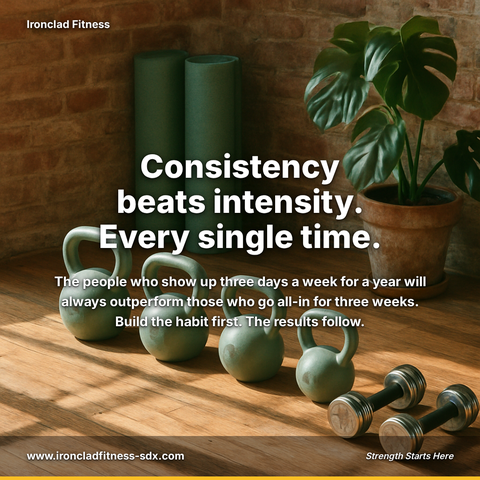
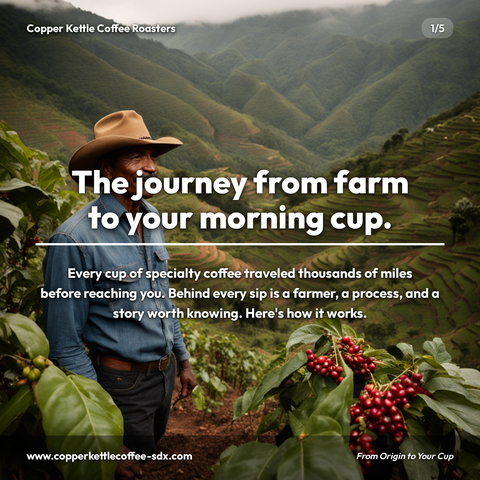
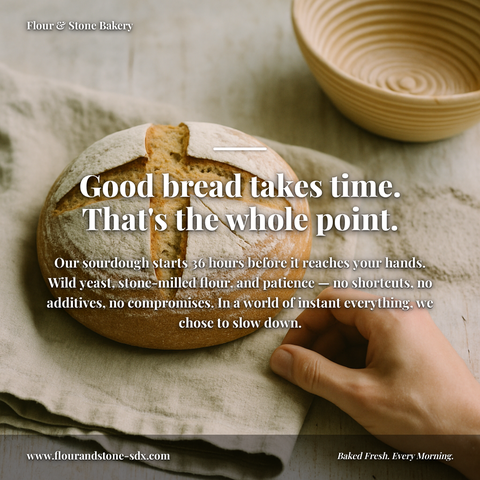
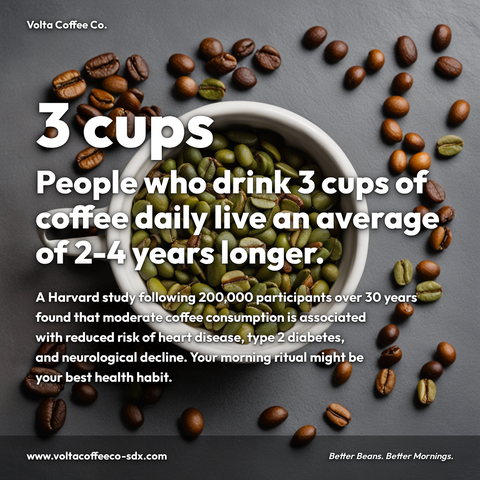
Branded carousels, graphics, and posts, tailored to your message.




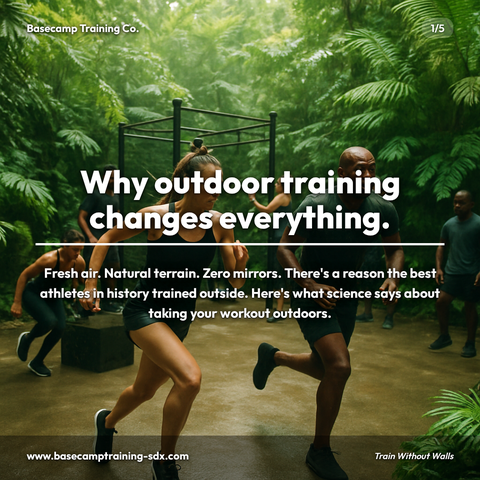
Carousels
5-slide branded PDF, ready to post on LinkedIn and social media.
Branded Graphics
Single eye-catching image with your brand colors and message.
Text Posts
Thought leadership copy, ready to paste and publish.
What is AI Carousel Maker social media content?
AI Carousel Maker social media content refers to multi-slide visual posts created using AI-powered tools that transform a single topic into branded, platform-ready carousels for LinkedIn, Instagram, and other social networks. For creators, marketers, and thought leaders, this matters because LinkedIn carousels reward the reader for swiping rather than scrolling, directly amplifying your reach, authority, and revenue potential without requiring design expertise. Whether you're breaking down industry trends with data-backed insights, walking audiences through step-by-step tutorials, or establishing thought leadership with contrarian takes, AI carousel tools eliminate the design bottleneck that typically slows content production. Zvario generates this content in under 2 minutes from a single topic, giving you professionally formatted, on-brand slides ready to publish, making it possible to maintain a consistent, high-impact content strategy at scale without hiring a design team or spending hours in creative software.
Not another template tool
Most AI carousel makers hand you a blank template and say good luck. You still write the copy, pick fonts, source images, and pray the layout doesn’t break. Zvario is different. You type a topic — one sentence — and the AI writes every slide, generates a matching background image, applies your brand colors, and delivers a publication-ready PDF carousel. The entire process takes about 60 seconds. No drag-and-drop editors, no template libraries to browse, no design decisions to agonize over.
Your brand on every slide, automatically
During setup, Zvario learns your company name, industry, audience, and communication style. It extracts your brand colors directly from your website. Every carousel it generates afterward reflects your unique positioning — the tone matches how you actually talk to clients, the visuals align with your brand identity, and the content addresses the specific problems your audience cares about. Whether you post on LinkedIn, Instagram, Facebook, or X, the result looks like your marketing team spent hours on it.
AI-generated visuals that match your message
Each carousel includes an AI-generated background image tailored to your topic — not a stock photo pulled from a generic library. The image is created alongside your content, so the visual direction complements the narrative of your slides. Combined with your brand colors and professional typography across 12 visual themes, every carousel looks distinct and polished. No two carousels look the same, even on the same topic.
Why carousels outperform every other format
Carousels hold attention across several slides where a single image or text post gets one glance, on LinkedIn, Instagram, and Facebook. The swipe mechanic keeps people in your content longer, the multi-slide format lets you build a complete argument, and the visual structure makes complex ideas digestible. For professionals trying to build authority, carousels are the highest-leverage content format available — and Zvario removes the production bottleneck entirely.
From topic to published post in under two minutes
The workflow is simple: type your topic, click create, and download your PDF. Upload it to LinkedIn as a document post, share it on Instagram as a carousel, or repurpose it across Facebook and X. Zvario also generates a caption and hashtags tailored to your post, so you’re not staring at a blank caption field. Paid users can edit any slide text and re-render instantly — same design, same images, updated messaging.
What you can create
- Industry insight carousels breaking down trends, data, or market shifts for your audience
- How-to and tutorial carousels walking through a process step by step
- Thought leadership carousels sharing contrarian takes or lessons learned
- Product feature highlight carousels for SaaS, e-commerce, or service businesses
- Client success story carousels with key metrics and transformation narratives
- Event recap carousels summarizing conferences, webinars, or workshops
- Myth-busting carousels challenging common misconceptions in your industry
- Weekly tip series carousels building a consistent content cadence
Sample topics to get started
Frequently asked questions
How is Zvario different from Canva or other carousel template tools?
Template tools give you a blank canvas and expect you to write copy, choose layouts, pick fonts, and source images yourself. Zvario generates everything automatically — all five slides of copy, an AI-generated background image, your brand colors, and professional typography. You enter a topic and get a finished carousel. No design skills, no template browsing, no creative decisions required.
Can I use Zvario carousels on platforms other than LinkedIn?
Yes. Zvario carousels are designed as 1080×1080 slides that work across LinkedIn (as document posts), Instagram (as carousel posts), Facebook, and X. The PDF format uploads directly to LinkedIn, and individual slide images work on any platform that supports carousel or multi-image posts.
Will each carousel actually look different, or do they all look the same?
Every carousel is unique. Zvario randomly selects from 12 visual themes, 6 content structures, and generates a custom AI background image for each carousel. Combined with your specific topic and brand context, no two carousels look alike — even if you create multiple carousels on similar topics.
Can I edit the carousel after it’s generated?
Yes. Paid users can edit the text on any slide and re-render the carousel with one click. Your design, theme, brand colors, and background image stay the same — only the text you changed updates. This lets you refine messaging without starting over.
What does it cost to create carousels with Zvario?
You get 5 free carousel creations with no credit card required. Paid plans start at $19.95 per month with a 14-day risk-free trial. Each plan includes carousels, branded graphics, and text posts — all three content types in one subscription.
What is the fastest way to create content on this topic?
Enter the topic and Zvario returns a finished, branded carousel, graphic, or post in about a minute. You review, adjust wording if you want, and publish.
Is there a free way to try it?
Yes. Zvario gives you 5 free creations with no credit card. Ongoing use is $19.95 a month on Starter for up to 80 creations a week, or $39.99 a month on Pro for up to 130 plus one-click posting.
Explore More
Create your first AI carousel now
Try it free — no credit card, no templates, no design skills.
Start FreeFree to start. See plans and pricing